
FMEA 4.0 Why AI Requires Structured FMEA Data (ARTICLE 7)
The AI barrier that spreadsheets cannot cross — and how databases unlock the next era of intelligent risk management AI is transforming nearly every aspect of manufacturing, design, quality, and safety. Yet almost every company attempting to involve AI in FMEA review, automation, CAPA analysis, or quality intelligence hits the same barrier: 👉 Excel-based FMEAs are fundamentally incompatible with modern AI.
THE LEARNING LOOPINTELLIGENT MANUFACTURING TRANSFORMATIONRISK MANAGEMENT
Manfred Maiers
1/19/20263 min read
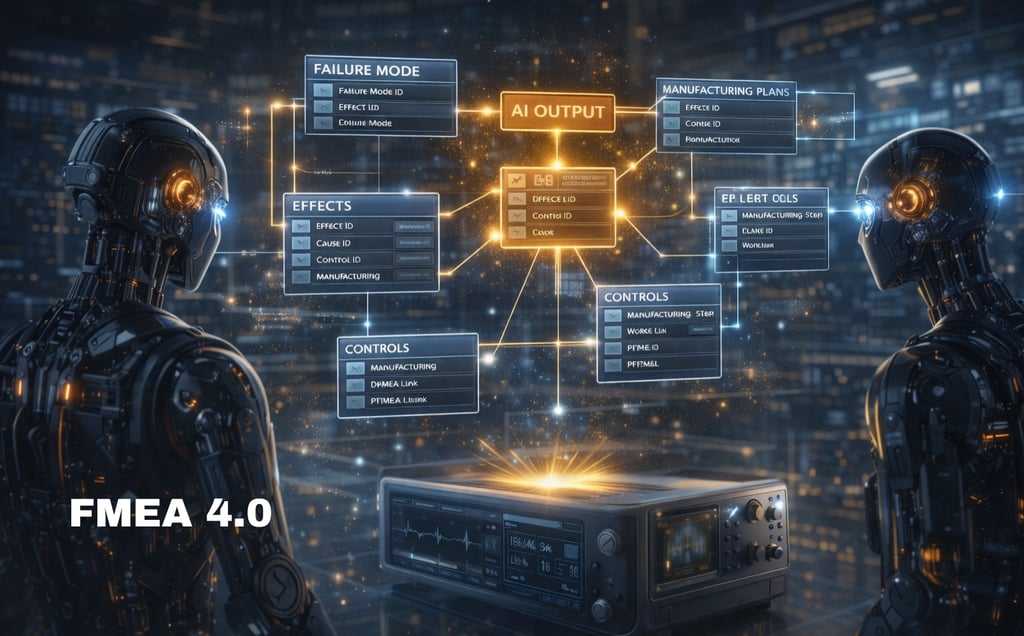

(and Why Excel Fails Every Time)
The AI barrier that spreadsheets cannot cross — and how databases unlock the next era of intelligent risk management
AI is transforming nearly every aspect of manufacturing, design, quality, and safety.
Yet almost every company trying to involve AI in FMEA review, automation, CAPA analysis, or quality intelligence hits the same barrier:
👉 Excel-based FMEAs are fundamentally incompatible with modern AI.
This article explains why using a specific AI architecture:
RAG (Retrieval-Augmented Generation)
Embedding-based semantic search
Knowledge Graphs
AI agents for risk reviews
Predictive quality models
Then we show how database-driven FMEAs unlock these capabilities seamlessly.
1. Excel Files Are Unstructured, Ambiguous, and Non-Atomic
AI relies on atomic units of meaning. Excel destroys atomicity by:
merging multiple effects into one cell
embedding multiple causes in one row
mixing text + numbers inconsistently
using merged cells that break context segmentation
varying column order or naming conventions across files
forcing one-to-many relationships into flat tables
AI systems cannot reliably interpret this.
Example:
A cell labeled “Effect of Failure” holds:
User discomfort; overheating; device stalls intermittently
To an AI:
Is this one effect or three?
Which severity applies to which?
Which relates to safety?
Is "stalling" an effect or a symptom?
Excel gives no structure → AI cannot reason.
2. RAG (Retrieval-Augmented Generation) Fails on Excel FMEAs
RAG requires clean, chunkable, semantically consistent text.
Excel holds:
embedded formatting
inconsistent headers
repeated column names
merged cells
nested lists inside cells
partial sentences
misaligned rows
human typos and context drift
When chunked, Excel produces:
incomplete fragments
ambiguous context
improper relationships
Result:
❌ AI retrieves the wrong pieces of the FMEA
❌ AI misinterprets failure hierarchy
❌ AI cannot produce exact risk assessments
Even advanced RAG frameworks like LlamaIndex and LangChain struggle with Excel FMEAs.
3. Knowledge Graphs Cannot Be Built from Excel FMEAs
Knowledge Graphs need nodes and edges, such as:
Function → Failure Mode
Failure Mode → Effect
Cause → Control
Operation → Failure Mode
Effect → ASIL rating
Control → Control Plan characteristic
Excel provides none of this.
It's not a graph.
It's not a relational model.
It's barely even structured.
To generate a graph, AI must:
parse text
infer relationships
guess linkages
reconcile ambiguous formatting
This process is error-prone and impossible to validate in regulated industries.
Databases solve this with explicit linking tables.
4. AI Agents Cannot Operate on Excel Data
Agents need:
deterministic relationships
predictable fields
normalized labels
stable schema
clear entity boundaries
Excel offers:
❌ no schema
❌ no governance
❌ no relation types
❌ inconsistent row structures
❌ no unique identifiers
❌ no versioning
❌ no lineage
Because of this, agent tasks like:
“Find inconsistencies in severity rating.”
“Identify missing detection controls.”
“Propagate design changes into PFMEA.”
“Suggest risk-reducing process improvements.”
cannot be reliably executed.
Agents simply cannot trust Excel data.
5. Excel's Free-Form Text Prevents AI Reasoning About Risk
AI needs predictable language.
Excel provides:
random abbreviations
multiline cells
mixed terminology
inconsistent units
unstandardized phrasing
Example:
“Lose torque,” “loss of torque,” and “torque reduction” might all refer to the same failure mode.
To humans → obviously similar.
To AI → entirely different semantic clusters unless normalized.
Databases allow:
controlled vocabularies
unified semantic tags
embedding vectors
ontology mapping
This is how AI becomes reliable.
6. AI Cannot Resolve DFMEA ↔ PFMEA ↔ Control Plan Divergence in Excel
Excel stores these as:
separate files
separate formats
separate naming conventions
AI must infer:
which DFMEA corresponds to which PFMEA
whether process controls fulfill design risks
whether Safety Goals map to effects
whether equipment or operators mitigate risks
This inference is impossible.
A database makes relationships explicit.
7. AI Cannot Execute Automated Risk Scoring or Harmonization in Excel
Excel has:
inconsistent scoring fields
missing data
incorrectly entered values
no enforcement of scoring range
mixed functional safety + classical ratings
AI cannot calculate:
RPN = S × O × D
Action priorities
ASIL ratings
Functional Safety risk graphs
Criticality mapping
Databases enforce data types and provide clean numerical fields.
8. AI Predictive Modeling Needs Clean, Structured, Longitudinal Data
AI predictive quality models require:
historical changes
product family patterns
traceability to NC/CAPA data
linkage to manufacturing operations
linkage to CP²T critical parameters
Excel provides none of this because:
❌ no version control
❌ no event timestamps
❌ no historical lineage
❌ no structured relationships
Databases turn FMEA into time-series risk intelligence.
9. How Databases Solve AI’s FMEA Challenges
Databases provide:
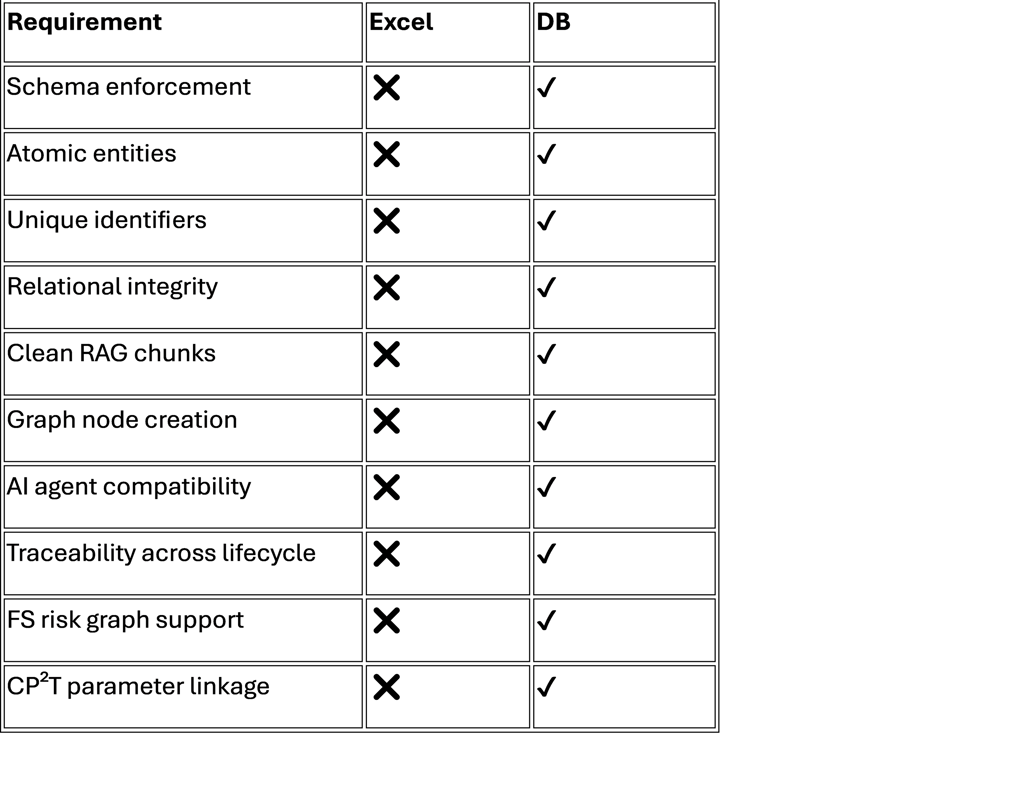
Summary:
👉 Excel is for brainstorming.
👉 Databases are for AI-driven risk management.
Conclusion: AI + FMEA = Database + Graph, Never Excel
If companies want:
AI-assisted FMEA review
automated DFMEA ↔ PFMEA alignment
digital CP²T critical parameter lineage
real-time risk propagation
predictive safety intelligence
cross-product pattern discovery
agentic audit-ready traceability
Then they must move FMEAs out of Excel and into structured, relational, and graph-enabled systems.